Automate your property viewings from start to finish
EasyViewing replaces the phone calls, the spreadsheets, and the back-and-forth emails. Set up a viewing event once — the system handles everything else.
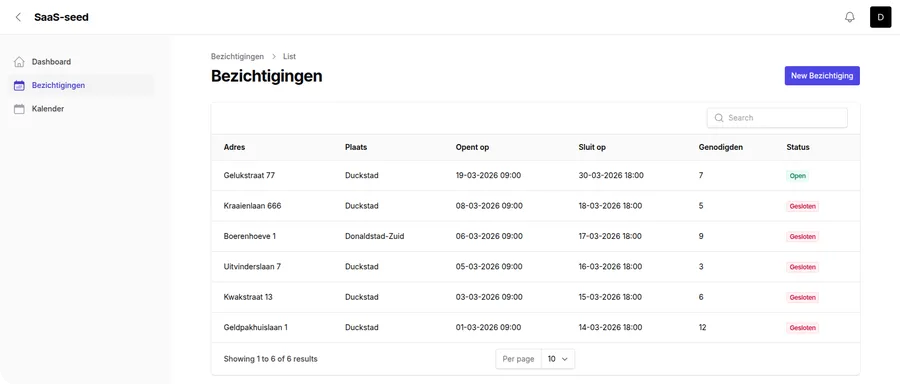
What gets automated when you use EasyViewing
Invitation sending
Add your invitees manually or upload a spreadsheet. EasyViewing sends personalised invitation emails to every contact automatically — the moment you publish the event.
Slot booking
Invitees self-select their preferred time slot via their personal link. No phone calls, no email threads, no double-bookings.
Waitlist promotion
When a slot fills up, invitees join the waitlist automatically. If someone cancels, the next person is promoted and notified instantly — without any input from you.
Day-before reminders
Every confirmed attendee receives an automatic reminder the day before their viewing. You don't need to remember to send them.
Agenda delivery
When registration closes, EasyViewing automatically sends you a complete agenda of confirmed attendees. No manual compilation required.
See who opened and clicked
See who opened their invitation and who clicked their booking link. Follow up with non-responders without guessing who has seen your message.
I used to spend the best part of a morning sorting out a single viewing day. Now I set it up in five minutes and the whole thing runs itself. The reminders alone have made a noticeable difference.
Estate agent
Residential sales, UK
Frequently asked questions
How much time does it take to set up a viewing event?
Most agents set up a viewing event in under five minutes. You enter the property details, add your time slots, upload or enter your invitees, and publish. EasyViewing takes care of everything from that point onwards.
Do I need to send reminders manually?
No. EasyViewing automatically sends a reminder email to every confirmed attendee the day before their viewing. You don't need to set anything up — it happens for every event by default.
What happens if I need to cancel or reschedule a viewing?
You can update or cancel a viewing event from your dashboard. Affected attendees can be notified directly from within EasyViewing.
Can I automate viewings for multiple properties at the same time?
Yes. You can run as many viewing events simultaneously as you need. Each event is managed independently with its own invitees, time slots, and waitlist.
Does EasyViewing integrate with my CRM or property portal?
EasyViewing works as a standalone tool. You can import contacts via CSV from any system. Direct integrations with CRMs and portals are on the roadmap.
Is there a limit to how many invitees I can add?
There is no hard limit on invitees per event. Each invitation sent uses one credit from your monthly allowance. Choose a plan that matches your typical viewing volume.
Coming soon
EasyViewing is currently in development. Drop us your email and we will let you know as soon as it launches — or sign up for the beta.