Open house scheduling without the spreadsheets
Popular listing, dozens of interested buyers, and a single viewing day to organise. EasyViewing handles the invitations, time slot bookings, reminders, and waitlist — so your open house runs smoothly without the admin.
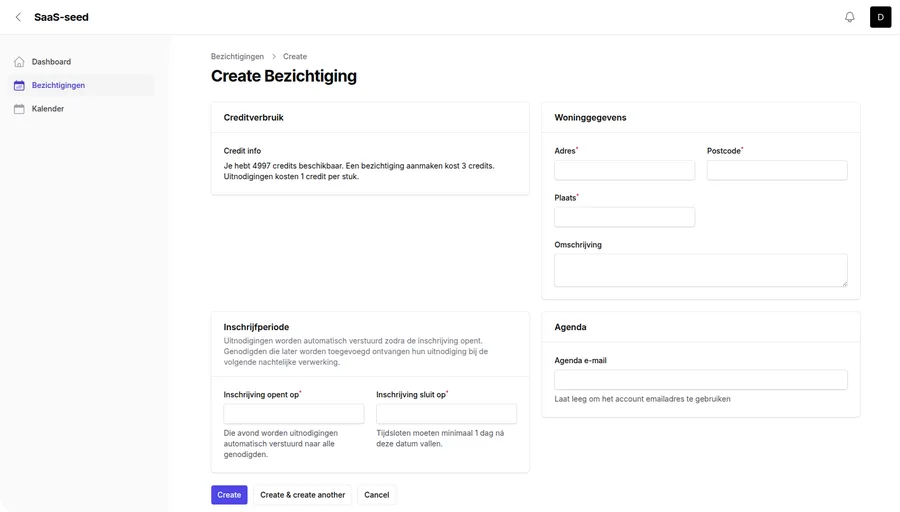
Everything you need to run an open house
Time slots with flexible capacity
Create multiple time slots throughout the day and set how many visitors each slot can hold. Avoid overcrowding and keep every viewing group manageable.
Invite your full contact list at once
Upload your interested buyers from a spreadsheet or add them manually. EasyViewing sends every contact a personalised invitation with a unique booking link.
Visitors choose their own slot
Each invitee clicks their personal link, picks a time that suits them, and receives instant confirmation. No account, no app, no back-and-forth.
Waitlist for popular slots
When a time slot fills up, invitees join the waitlist automatically. If someone cancels, the next person is promoted and confirmed — without any action from you.
Automatic day-before reminders
Every confirmed visitor receives a reminder the day before the open house. Fewer no-shows, fewer empty slots, less time wasted.
Visitor list in your inbox
When registration closes, you receive a complete list of confirmed visitors grouped by time slot. Print it, take it to the door, and know exactly who to expect.
Organising an open house with twenty-plus visitors used to mean a full morning of phone calls and a spreadsheet I kept getting wrong. Now I set it up in five minutes and the visitor list arrives in my inbox the next day.
Estate agent
Residential sales, UK
Built for high-demand properties
Handle large groups without chaos
Set a maximum number of visitors per slot. The system enforces the limit automatically — no overbooking, no crowd at the door, no awkward conversations about who was first.
Bilingual invitations
Hosting international buyers? Send invitations in English or Dutch per invitee. Both languages are fully supported throughout the booking flow.
Your branding in every email
Your agency name, logo, and contact details appear in every invitation, confirmation, and reminder. Visitors always know who the message is from.
See who engaged and who did not
Track which invitees opened their invitation and who clicked the booking link. Follow up with non-responders before the open house to maximise attendance.
Frequently asked questions about open house scheduling
How many time slots can I create for an open house?
There is no limit. Create as many time slots as your schedule allows, each with its own capacity and waitlist. This gives you full control over how many visitors arrive at any given time.
Can I allow walk-ins alongside scheduled visitors?
EasyViewing is designed for scheduled viewings with invitations. For walk-ins, you can create an extra time slot with additional capacity as a buffer, or reserve a separate slot for unscheduled visitors.
What if more people want to attend than I have slots for?
Invitees who try to book a full slot are placed on the waitlist automatically. If someone cancels, the next person on the list is promoted. You can also add extra time slots if demand exceeds expectations.
Do visitors need to download an app or create an account?
No. Each visitor receives a personal link via email. They click the link, pick a time slot, and receive a confirmation. The entire process takes less than a minute and requires no account or download.
Can I use EasyViewing for regular one-to-one viewings as well?
Yes. EasyViewing works for both open house events with multiple visitors per slot and standard one-to-one viewings. You control the capacity per slot — set it to one for private viewings or higher for open house groups.
How do I import a large list of interested buyers?
Upload a spreadsheet with names and email addresses. EasyViewing imports the full list at once and sends personalised invitations to every contact automatically.
Coming soon
EasyViewing is currently in development. Drop us your email and we will let you know as soon as it launches — or sign up for the beta.